
Capture the source
Start with a video URL and collect metadata, thumbnails, formats, captions, transcripts, chapters, and the raw source payload.
AI video research and editing workspace
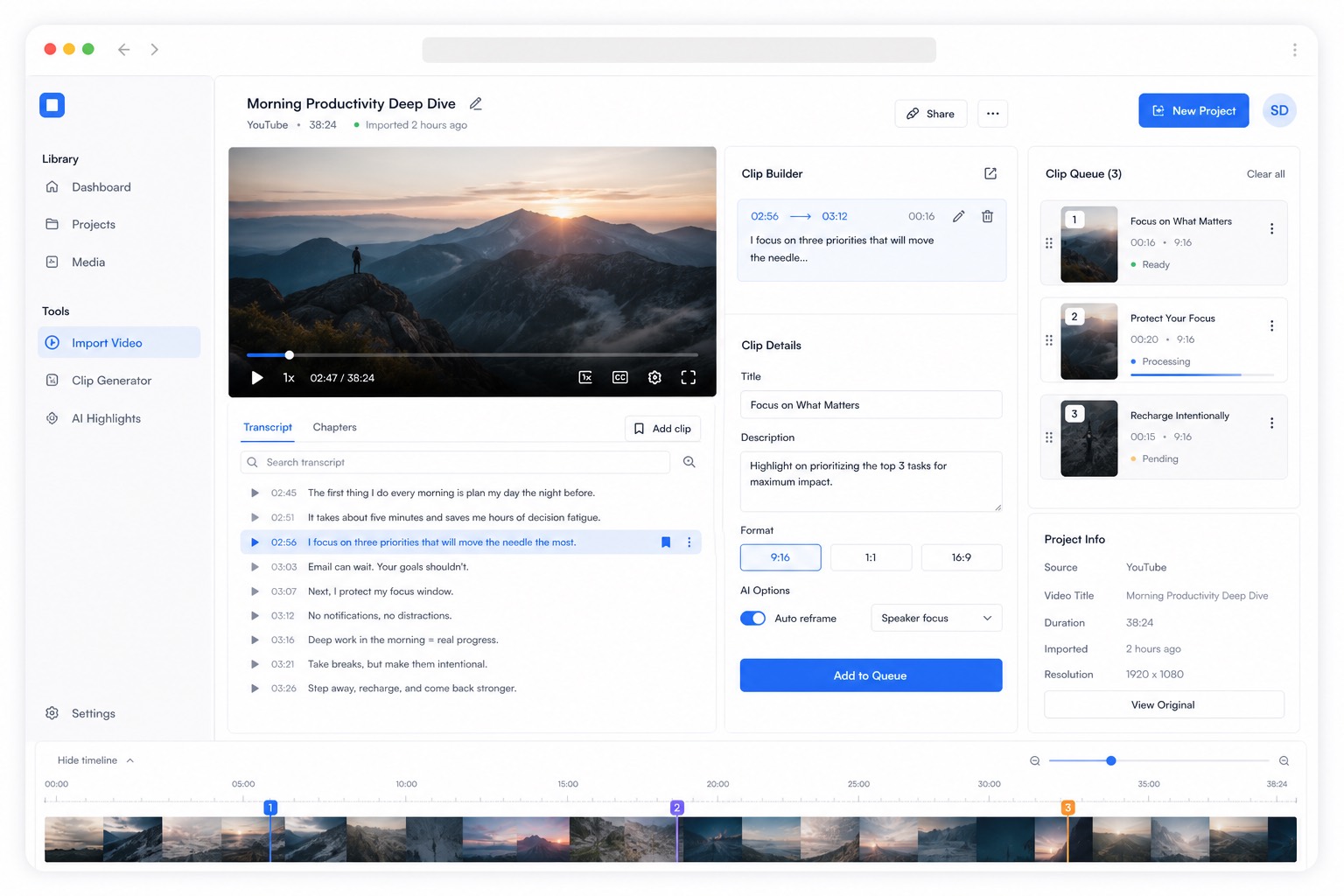
Little Clipper brings intake, transcript search, moment discovery, clip planning, and AI-assisted editing into one internal workspace.
Operator view
Research desk
Source
YouTube intake
Metadata, captions, chapters, formats, raw payload
Review
Marker workflow
Quotes, hooks, B-roll beats, notes, transcript search
Output
Clip candidates
Edit direction, captions, social formats, remix ideas
Live pipeline
What the product is organizing
Import queue
WatchingBring in long-form source material and normalize the record before research starts.
Review session
HotkeysWatch, step frame-adjacent moments, tag categories, and capture why a section matters.
Clip development
NextPromote research moments into edit-ready marker spans with narrative and packaging context.
Workflow
Instead of spreading context across YouTube tabs, loose notes, downloads, prompt experiments, and edit handoff docs, Little Clipper keeps the source, transcript, AI suggestions, and clip plan attached to the same record.
Start with a video URL and collect metadata, thumbnails, formats, captions, transcripts, chapters, and the raw source payload.
Search the transcript, tag standout sections, summarize themes, and identify hooks, quotes, funny moments, and useful timestamps.
Turn promising moments into marker spans with captions, notes, edit instructions, social formats, and remix ideas.
Work surfaces
The important shift is that Little Clipper is moving from a single intake record into a research system with specific operating surfaces.
Library
Browse every imported video, queue state, transcript availability, and record health from one index.
Review
Move through a video precisely, save timestamped markers, and attach the editorial reason immediately.
Planning
Turn useful moments into structured candidates that can feed AI passes and editor handoff.
Why teams use it
Source video, transcript, notes, AI passes, and clip state live together.
Editors get the why, the quote, the hook, and the timestamp.
Every import becomes searchable production memory for future edits.
Clip ideas can become captioned shorts, templates, and future generated video assets.
AI-assisted production
The same source record can support transcript search, tagging, summaries, hook extraction, marker spans, caption generation, social templates, B-roll ideas, and future remix workflows.
AI workbench
From transcript to short-form direction
Hook extraction
Find strong openings and clip-worthy claims
Clip candidate generation
Package timestamps, notes, captions, and edit direction
Remix and export planning
Prepare shorts, reels, templates, and generated asset ideas